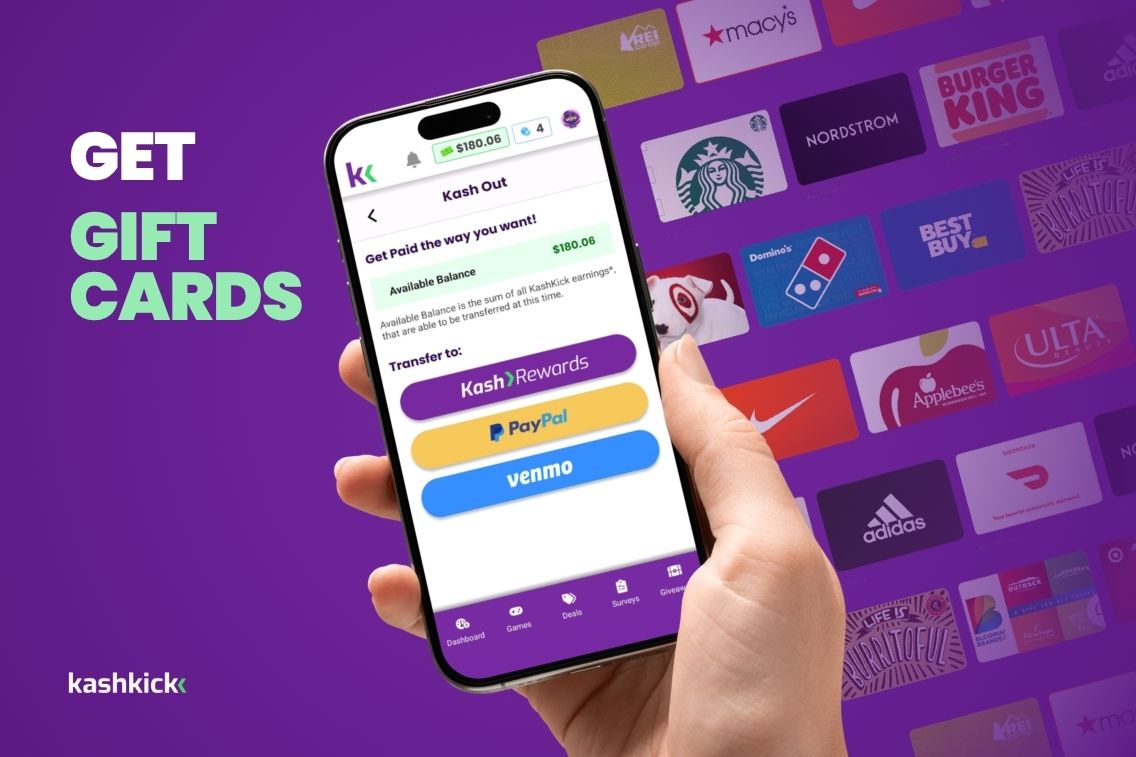

Want to turn your KashKick earnings into a gift card? You’ve got options!
KashKick gift card options run through KashRewards, a rewards catalog powered by Tango. Once you’ve earned $10, you can cash out and pick from over 100 gift cards, prepaid cards or charity donations.
Here’s what’s in the catalog, how to redeem it and when a gift card beats cash.
New to KashKick? Sign up for free and start earning.
Key Takeaways
- KashKick gift card options run through KashRewards, a Tango-powered catalog with over 100 brands, plus prepaid cards and charity donations.
- You can cash out for a gift card once your available balance hits $10, and KashKick doesn’t charge any fees.
- Cash out requests take 1-3 business days to process, and your gift card can take up to 1 day to arrive after checkout.
- You can split your balance across multiple gift cards and save the rest in your KashRewards link for later.
KashKick Gift Card Options by Retailer Type
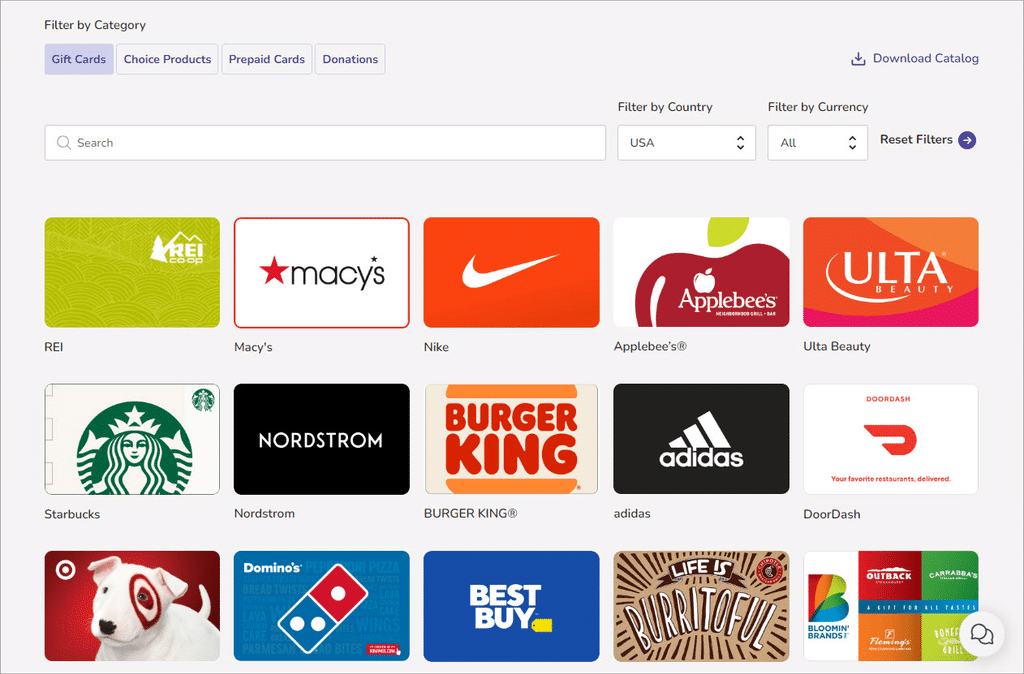
KashKick gift card options cover popular brands for shopping, coffee runs and entertainment. Here are a few you can pick from in the KashRewards catalog. The lineup can change, so check your KashRewards link for the current options.
Want more ways to stack up rewards? Here’s how to earn gift cards online.
Shopping and Big-Box Retail
- Amazon: Use an Amazon gift card on just about anything, from household basics to the latest gadgets.
- Target: This is a great option to help cover groceries, home goods and everything in between.
- Walmart: Stretch your earnings on everyday essentials.
Coffee and Dining
- Starbucks: Turn your earnings into your next coffee run.
- Chili’s: Triple dippers taste better when they’re free!
- IHOP: A great option for breakfast lovers.
Apps, Games and Entertainment
- Apple: Spend an Apple gift card on app subscriptions, music, games and more.
- Google Play: Grab apps, games and in-app purchases on Android.
What is Tango?
Instead of cashing out to PayPal, KashKick members can cash out with Tango gift cards, which power KashRewards.
Tango gift cards don’t tie you down to one store. With Tango, you can redeem your balance with many popular retailers, restaurants and even travel options. It’s perfect if you want more flexibility than cash. Shop at your favorite stores, dine out or enjoy travel perks.
New to KashKick? Here are six ways to make money on KashKick, including fun activities like surveys, games and more.
Before You Cash Out: 4 Things to Know
1. Activate your account. You’ll need an active account to unlock cash out.
2. Verify your identity. You’ll confirm it’s really you at your first cash out. This helps keep your account safe. Learn more about why KashKick is safe.
3. Only one request at a time. You can only have one pending cash out request at a time.
4. Some earnings need time to clear. Some earnings stay pending while advertisers verify them. This can take up to a couple of weeks.
How do you cash out with Tango?
As always, you must have a minimum of $10 in your KashKick account before you can cash out. Like cashing out to PayPal, please allow a pending period of 1-3 business days so someone from our team can approve your KashRewards cash out request.
Once approved, you’ll receive an email from [email protected] with instructions on how to access the gift card catalog and redeem whatever gift card you wish. You can also access the gift card catalog by clicking on the KashRewards logo under your account’s transaction history.
Your KashRewards balance can be redeemed for gift cards from over 100 brands in the KashRewards catalog, plus prepaid cards and donations.
Here’s how to cash out with KashRewards, step by step:
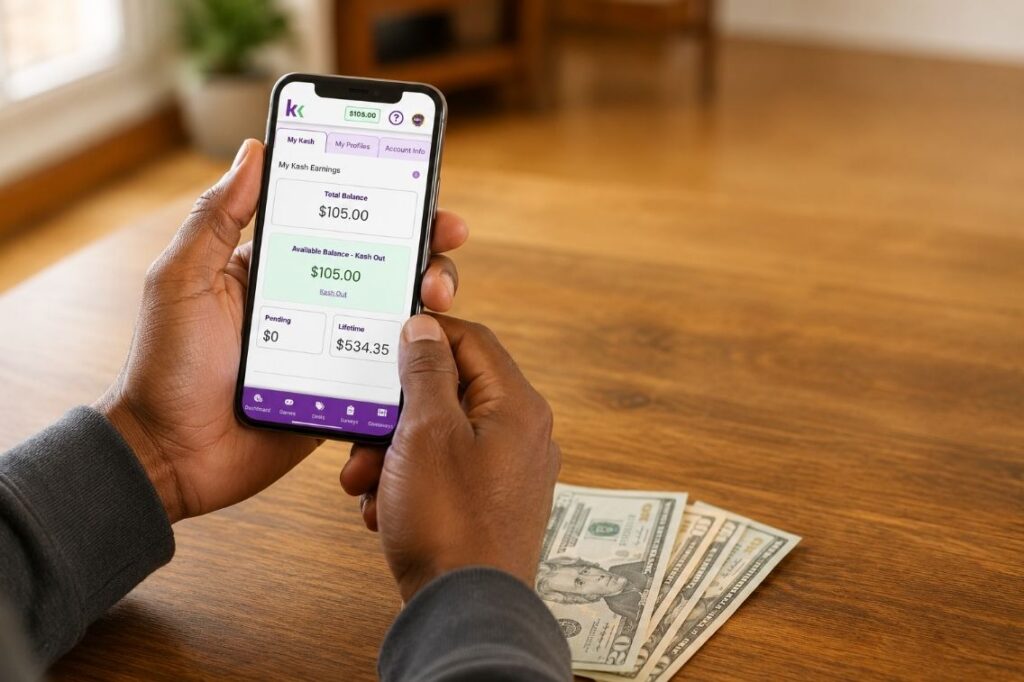
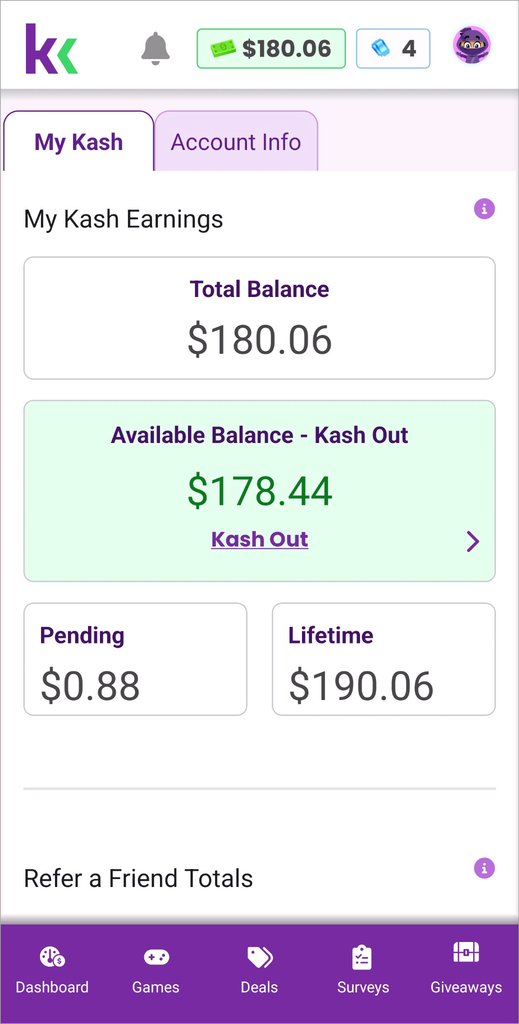
1. Go to your account balance (My Kash).
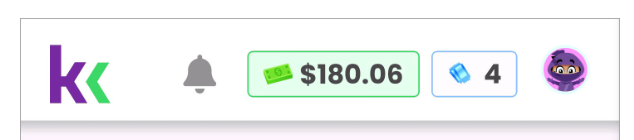
2. On My Kash, select Kash Out – Available Balance.
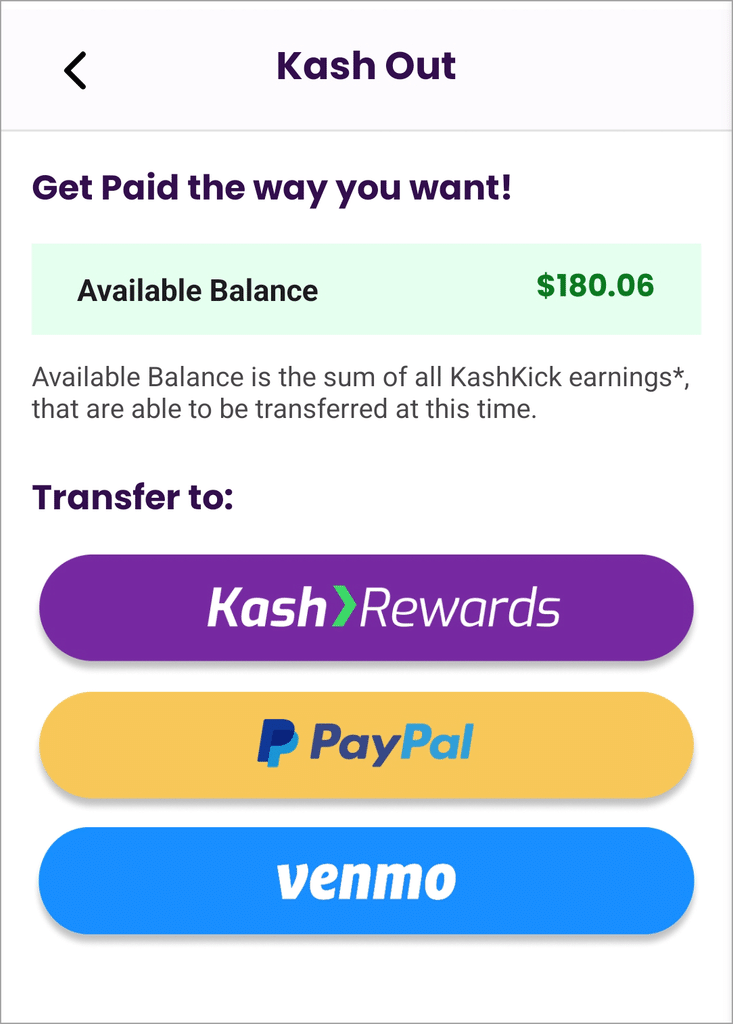
3. Enter a cash out request of at least $10. Then, select Kash Rewards to cash out with gift cards.
4. If the cash out request is approved, you will see the approved amount in My Kash – History. You will also receive an email from [email protected] with your KashRewards link.
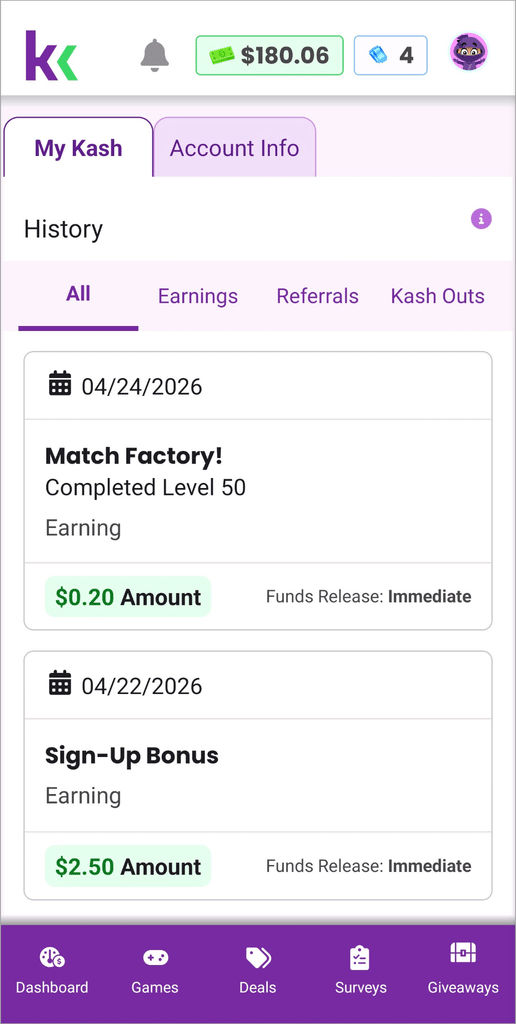
5. If the cash out request is denied, you will see the withdrawal request was canceled in My Kash – History.
For more detailed cashing out instructions, visit Kash Out Your Earnings.
How do I redeem my reward on Tango?
Here’s how to redeem your KashRewards on Tango:
1. Go to the email from [email protected] and select the Kash Rewards link or in KashKick, find the transaction under My Kash – History and select Kash Rewards.
2. In the reward catalog, select the gift card of your choice.
3. Select the amount you wish to redeem on the chosen gift card (you’ll see your total available balance).
4. Select Checkout.
5. Confirm your name and gift card selection. (Note: You cannot edit or change the email. It’s already enabled from the KashRewards link.)
6. Agree to the Terms of Service and Privacy Notice.
7. Select Place Order.
You may not receive the email with your gift card instantly. It can take up to 1 day to approve and send the gift card to the email address where you received the KashRewards link.
Pro tip: You can use the KashRewards link multiple times if you choose to redeem only part of your reward the first time. The remaining reward amount is always shown in your KashRewards portal for convenience!
How do I redeem my gift card from Tango?
Now that you’ve received your gift card, you’ll want to use it! Here’s how:
1. Open the KashKick Rewards email from [email protected].
2. Click on the redemption URL and copy the security code.
3. Visit the provided URL and paste the security code to unlock your reward.
Once the reward is unlocked, you can start using your card. Gift cards can be used at a range of popular destinations, offering maximum flexibility on how you spend your earnings.
Gift Card or PayPal: Which KashKick cash out option is right for you?
Both options start at $10. And since $1 earned on KashKick equals $1, there are no points to convert.
Pick a gift card if you already shop at a brand in the catalog. It’s also handy if you want to split your balance across a few rewards.
Pick PayPal if you want flexible cash you can move to your bank.
Want the full rundown on every option? Check out the KashKick payout guide.
Why choose KashKick for mobile rewards?
KashKick stands out among mobile rewards earning apps by offering:
- Flexible earning opportunities: Complete surveys, try new services, play games and much more, all from your phone and at your convenience.
- Fast, reliable payouts: Cash out requests process in 1-3 business days, and there’s no cost to join.
- Low payout thresholds: Redeem your earnings with as little as $10 in your account.
- Security and privacy: Identity verification at cash out helps keep your account safe.
- Engaging experience: The intuitive, user-friendly interface and personalized offers make earning rewards fun and effortless.
Rewards apps like KashKick let you earn extra income at your own pace. While rewards aren’t a replacement for a full-time income, the flexibility, variety of tasks and fast cash outs make KashKick a top pick for members seeking supplemental money.
Try KashRewards Today
KashKick members now have more flexibility than ever when redeeming their rewards.
Tango gift cards allow you to shop at a wide variety of popular retailers, dine at your favorite restaurants and even access travel options.
Start exploring your options today and make the most out of your earnings. Sign up for KashKick.
FAQs: KashKick Gift Card Options
What gift cards can I get on KashKick?
You can get gift cards from over 100 brands on KashKick through the KashRewards catalog. That includes retailers like Amazon, Target and Starbucks. You’ll see the full Kash Rewards catalog after you cash out.
How long does it take to get a KashKick gift card?
It takes 1-3 business days for KashKick to process your gift card cash out request. Once it’s approved, you’ll get an email with your KashRewards link. After you check out, your gift card is sent to your email.
Can I split my KashKick balance across multiple gift cards?
Yes, you can split your KashKick balance across multiple gift cards. Pick a reward, enter the amount you want to use and save the rest for later. Your remaining balance stays in your KashRewards link.
What’s the minimum to cash out for a KashKick gift card?
The minimum to cash out for a KashKick gift card is $10. Once your available balance hits $10, you can cash out to KashRewards.
Can I change the email my KashKick gift card is sent to?
No, you can’t change the email your KashKick gift card is sent to. Rewards go to the email on your KashKick account, so make sure it’s one you check. Having trouble redeeming? Contact KashKick support or Tango’s help team.
Does it cost anything to cash out for a KashKick gift card?
No, it doesn’t cost anything to cash out for a KashKick gift card. KashKick doesn’t charge fees to cash out.