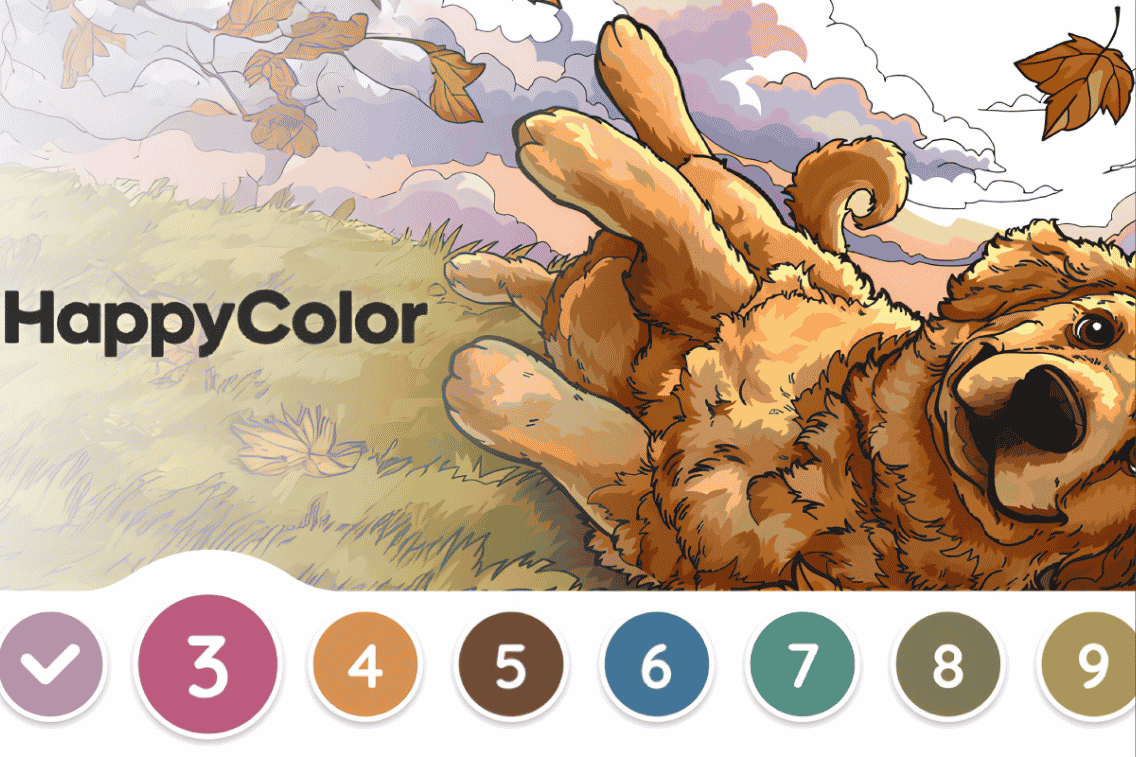

Feeling a bit tense? Leave your cares behind and unwind with Happy Color: Color by Number, the ultimate meditative way to play.
The moment you’re staring at a nearly-finished picture and can’t locate the last dozen hidden cells for a pale lilac color, you know there’s a better way to play. Happy Color: Color by Number has been downloaded over 320 million times and built a fiercely loyal audience with good reason: a library of 40,000+ free pictures, zero paywalls and a design that makes relaxing feel genuinely productive.
💰 Did you know you can earn real money while playing Happy Color: Color by Number? Sign up for KashKick to turn your coloring sessions into real rewards.
Why Play Happy Color: Color by Number?
Happy Color: Color by Number from X-Flow Games doesn’t compete for attention with countdown timers, leaderboards or energy bars. It sits in a different category entirely: an app people open because they genuinely want to. Here’s why you’ll love it:
- You get genuine stress relief. Research highlighted by the American Psychiatric Association has explored the link between focused creative activities and reduced anxiety. Happy Color wraps that benefit into a format anyone can pick up in seconds.
- There are 40,000+ pictures, all free. No paywalls and no content gating. Every picture in the library is accessible without spending a cent.
- It’s got remarkable variety. From licensed Disney and Star Wars scenes to original artist collections, anime, mandalas, narrative story sets and mystery reveals, there’s something for every taste and mood.
- It fits any schedule. A five-minute session during a break works just as well as an hour-long session at home. The app adapts to however much time you have.
- There’s no pressure and no wrong moves. There are no failed levels, no penalties and no timers. The only goal is a picture you’re happy to look at.
- You can earn for playing. Happy Color: Color by Number is one of the online games that pays you real money through KashKick, making your relaxation sessions work harder.
How Happy Color: Color by Number Works
The basics of Happy Color: Color by Number take about sixty seconds to learn, but a few mechanics are worth knowing before you start:
- Color by the numbers. Every picture is divided into numbered zones. Select a color from the palette at the bottom and tap or swipe to fill in all the matching cells.
- Zoom in for the details. Pinch to zoom on any section of the picture. Small-cell areas become much easier to fill accurately once you’re zoomed in, and the numbers inside become readable.
- Hints (lightbulbs) find what you’ve missed. The lightbulb button flashes every remaining cell for your currently selected color. You earn lightbulbs naturally through the app or by watching optional ads.
- Color palette progress bar. When enabled in Settings, a progress bar shows how much of each color remains to be filled, giving you an instant overview of where you stand.
- Daily pictures and achievements. A new picture unlocks every day. Collecting them consistently also feeds a running achievement system that rewards long-term engagement.
We’ve got the mechanics covered, so let’s learn how to use them to make the game even more enjoyable.
Tips to Get More from Happy Color: Color by Number
Our tips will help you to get the most of playing this chilled game.
1. Turn on auto-switch colors in Settings before your next session
This is the single most impactful change you can make to your Happy Color: Color by Number experience, and most players never find it.
Auto-switch colors automatically advances to the next color in the palette the moment you’ve filled every cell for the current one. Without it, you’re manually tapping each new color and scanning the canvas for remaining zones. Head to Settings, find the Gameplay section and enable it now. Your coloring speed will noticeably improve from the very next picture.
2. Enable the color palette progress bar
While you’re in Settings, turn on Color Palette Progress too. This bar shows exactly how much of each color is left to fill across the entire picture, so you can see at a glance which colors are nearly done and which still have a lot of canvas to cover. On complex pictures with fifty or more colors, this feature alone saves significant time compared to guessing which color to tackle next.
3. Work the largest color areas first
It’s easy to start with whatever color sits at the top of the palette or the one that looks most interesting. A more satisfying approach: scan the palette for the colors with the most cells and tackle those first. Clearing your biggest areas creates visible progress quickly and keeps momentum high for the more detailed work later. It also means the trickier, smaller-zoned colors feel like finishing touches rather than tedious obligations.
4. Zoom through the picture in sections, not at random
A very common frustration in Happy Color: Color by Number is hunting for missed cells by panning around the canvas at random. Research has shown that mindfulness apps deliver a range of benefits.
Focused and methodical activity is what drives the relaxation benefit, not rushing. Work through the picture in a grid: top-left to bottom-right, section by section. Treat each zoomed view as a mini-area to fully complete before moving on. This method nearly eliminates aimless hunting and keeps the session feeling calm rather than frustrating.
5. Save lightbulb hints for genuinely complex pictures
Lightbulbs are hints that pinpoint every remaining cell for your current color. They’re useful, but they’re worth preserving rather than burning through on every session. Save your hint supply for detailed pictures with many color zones or unusual shapes where a missed cell would take minutes to find manually. For simpler pictures, the search itself is a small and enjoyable part of the experience. Watch optional ads to top up your lightbulb count when it runs low.
6. Try the Mystery tab for a completely different experience
Most players browse the standard categories and never venture into the Mystery tab. In Mystery, you color without seeing the image you’re working on until the final cell is filled. The reveal at the end is one of the most satisfying moments the app offers, and the variety of what appears keeps it genuinely surprising. If you’ve never tried it, open the Mystery tab before your next session. It’s one of the most underused features in the entire app.
7. Explore Stories and artist Collections for structured sessions
Beyond individual pictures, Happy Color: Color by Number offers two content formats that make sessions feel more like a project than a pastime. Stories collections group ten to twelve related pictures that unfold a narrative as you complete them.
Artist Collections pair the app with professional illustrators for themed sets that feel cohesive and curated. Both formats give you a clear through-line across multiple sessions, which is particularly useful if you’re working through pictures to complete KashKick missions.
FAQs on Happy Color: Color by Number Tips
Can you get paid to play Happy Color: Color by Number?
Yes! With KashKick, you can turn your gameplay into real rewards. Here’s how:
- Make sure you haven’t played the game before (we only reward new users).
- Find your game in KashKick and review the mission details and requirements.
- Start the mission by installing the game through KashKick.
- Allow tracking on your device (and in the app, if prompted) so your progress can be verified.
- Complete outlined goals to earn rewards.
Heads up: Rewards are typically pending for around 14 days while they’re confirmed, but timing may vary. Once approved, you can cash out via PayPal, Venmo or gift cards. Games are subject to change.
Is Happy Color: Color by Number free?
Yes. All 40,000+ pictures are completely free to access. The app is available for download at no cost. An optional premium subscription is available for players who prefer an ad-free experience, but it’s never required to access content.
What are lightbulb hints in Happy Color: Color by Number?
Lightbulbs are the in-app hint currency. Tapping the lightbulb icon highlights all remaining unfilled cells for your currently selected color. They’re earned through normal play and can be replenished by watching optional ads. They’re most valuable on complex pictures where a missed cell in a large color zone would take a long time to locate manually.
What is the Mystery tab in Happy Color: Color by Number?
The Mystery tab presents a blank canvas with no image preview. You fill in numbered cells without knowing what the picture shows until the very last cell is filled. The reveal is one of the most genuinely satisfying moments in the app and is particularly popular with users who enjoy the surprise element over the predictability of choosing a known image.
How do I keep track of pictures I want to return to in Happy Color: Color by Number?
Long-press any picture to star it, which saves it to your favorites. Building a starred queue of in-progress and planned pictures removes the need to scroll through categories every session. The search bar also supports filters by theme, style and status (including in-progress), making it easy to find exactly what you were working on last time.
Start Playing Happy Color: Color by Number for Rewards
Enabling auto-switch colors, turning on the palette progress bar, tackling large color areas first, zooming methodically through sections, saving hints for genuinely tricky pictures and exploring the Mystery and Stories tabs: these habits add up to a noticeably smoother and more satisfying coloring experience every session.
Your free time already has value. Happy Color: Color by Number gives it a creative outlet and a moment of real calm. Pairing it with KashKick gives it a genuine return. Ready to make money playing games from your couch? Check out our guide side hustle apps that pay for more ways to give your downtime a raise.