
There’s a specific kind of calm that hits when a messy grid of tiny numbers turns into a finished picture. Happy Color built an entire hobby around that feeling. The pictures are really beautiful and there are so many of them, there’s always something new to try.
Want the best Happy Color tips to color faster? We’re here to help you do that, find better pictures and actually relax while you do it.
Even better, you can sign up for KashKick and turn downtime like this into real rewards on the side.
KashKick’s game catalog is always evolving, so titles come and go. See what’s currently live and download through the app to start earning.
Why play Happy Color?
Happy Color, made by developer X-Flow, is one of the most popular color-by-number apps in the world. It’s easy to see why once you start. Here’s why it’s set to be your favorite:
- A massive free library. There are over 40,000 pictures, with fresh ones added every single day.
- Real relaxation. The simple tap-and-fill loop puts your brain into an easy, meditative groove.
- Zero pressure. There are no timers and no game-over screens. There’s also no need to make any in-app purchases to finish a picture.
- You can personalize your pictures. There’s a wide choice of art styles and loads of different shades of every color. This means you can create art that’s unique to you.
- Something for every mood. Think animals, mandalas, landscapes and licensed Disney, Marvel and Star Wars art.
- Play anywhere. Once a picture is downloaded, you can color it offline on a flight or a bad-signal commute.
It’s also one of the most downloaded coloring apps around, which means the library and daily updates aren’t slowing down.
How Happy Color Works
Before we get into our Happy Color tips, let’s take a quick look at how the game works. If you’re brand new, the flow couldn’t be simpler.
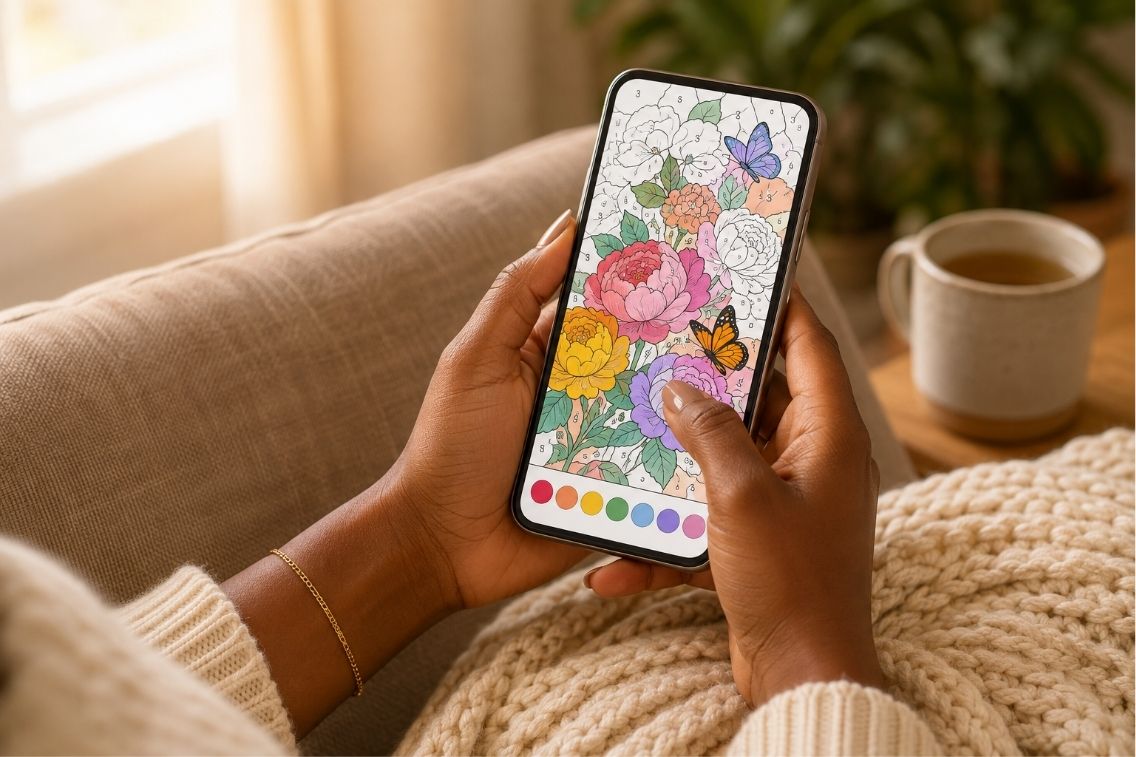
Every picture is split into small numbered cells and each number matches one color in the palette at the bottom. You tap a color, then tap the matching cells to fill them in. There’s no penalty for a wrong tap, so you can’t really mess up.
That repetitive, low-stakes rhythm is the whole point. It gives your mind something gentle to focus on. This is why coloring can measurably lower anxiety in study after study.
When a picture is complete, the app plays a short animation of your work coming to life. This gives you a real sense of satisfaction.
Happy Color Tips and Tricks
Coloring is simple, but a few smart habits make each session faster and a lot more satisfying. These Happy Color tips cover the moves that separate a slow slog from a smooth finish.
1. Clear One Color at a Time From the Palette
Tap a number in the bottom palette bar, then fill every matching cell before moving on. Work through the palette in order so no color gets left behind. Each finished color drops out of the bar, so your progress is always obvious.
2. Pinch to Zoom Before You Chase Tiny Cells
Detailed pictures pack dozens of pinhead-sized cells that are almost invisible at full view. Zoom in first, then color. You’ll stop missing hidden cells that leave a picture stuck at 99 percent.
3. Use the Hint Lightbulb When You’re Stuck
If you can’t find the last cells of a color, tap the lightbulb icon at the top. It zooms straight to the spot you’re missing. Save this for the frustrating final cells rather than every color, since hints often follow a short ad.
4. Star the Pictures You Want to Save
Long-press any picture to star it and drop it into your favorites. This builds a personal queue so you never lose that gorgeous mandala you wanted to try later.
5. Search Instead of Endlessly Scrolling
The search bar finds pictures by topic, from hamsters to volcanoes to your favorite hobby. A quick search beats scrolling for ten minutes and helps you color things you actually care about.
6. Color the Daily Pictures to Keep Things Fresh
New pictures drop every day, and they’re a great way to keep your library exciting. Making the dailies a habit keeps content varied and stops the same categories from getting stale.
7. Color Offline to Skip Ad Interruptions
Ads usually appear between finished pictures and around hints. Download a batch while you’re on wifi, then color offline later. This cuts down on interruptions during your calm time.
8. Explore Mystery and Collections for Variety
The Mystery tab hides the final image until you finish. Collections feature special artists and themed sets. These break the routine and are where some of the most rewarding pictures live.
Common Mistakes to Avoid in Happy Color
A few habits quietly make the game slower or less relaxing than it should be. Steer clear of these:
- Rushing the fill. A picture won’t complete or animate until every cell is done, so speed-tapping just means hunting for stragglers later.
- Ignoring the zoom. Dense pictures are nearly impossible at full view. Zoom early and often.
- Only chasing licensed art. The Disney and Marvel sets are fun, but you’ll miss thousands of free originals if that’s all you touch.
- Treating it like a race. The calm is the reward here. That’s exactly why scientists actually recommend coloring as a wind-down activity, so let it be slow.
Is Happy Color free to play?
Yes, Happy Color is free to download and play on both iOS and Android. The core experience is fully unlocked and thousands of pictures cost nothing.
You’ll see ads between pictures and when you use hints. There are optional purchases and a subscription to remove ads or grab certain premium packs. None of that is required to enjoy the app.
Like the idea of getting paid for chilling out by coloring? Happy Color Tips is one of the games you can get paid to play on KashKick right now.
Can I make money playing Happy Color?
Yes, Happy Color doesn’t pay you but KashKick does. We reward you for completing missions on the games in our catalog, including this one. Games on KashKick can pay up to $800 and in 2025 alone KashKick paid out $33 million to members.
The cashout minimum is just $10 and cash is a straight 1:1 in US dollars. PayPal payouts typically land in 1 to 3 business days.
Members like Kayla have earned over $1,200 in less than two years by chipping away at missions consistently.
Wondering whether any of this is for real? That’s fair, and the answer is easy to check. See exactly how KashKick pays real money before you commit.
More Games Like Happy Color
Love the calm, tap-to-progress feel? These similar picks scratch the same itch:
- Paint by Number, the closest cousin, is another color-by-number favorite.
- Zen Color is coloring with extra chilled and calm elements.
- Colorwood Sort Puzzle swaps coloring for satisfying color-sorting puzzles.
The Bottom Line on Happy Color
Happy Color is one of the best ways to unwind using your phone. Clear one color at a time and zoom in on the fiddly bits. Use the hint lightbulb and let yourself go slow. Those Happy Color tips will make every session easier and more enjoyable.
The best part is that relaxing and earning don’t have to be separate things. Ready to turn your downtime into rewards? Join KashKick and get started today.
FAQs: Happy Color Tips
Can you get paid to play Happy Color?
Yes, you can get paid to play Happy Color through KashKick. Here’s how:
- Make sure you haven’t played the game before (we only reward new users).
- Find your game in KashKick and review the mission details and requirements.
- Start the mission by installing the game through KashKick.
- Allow tracking on your device (and in the app, if prompted) so your progress can be verified.
- Complete outlined goals to earn rewards.
Heads up: Rewards are typically pending for around 14 days while they’re confirmed, but timing may vary. Once approved, you can cash out via PayPal, Venmo, gift cards or charity donations. Games are subject to change.
Is Happy Color free on iPhone and Android?
Yes, Happy Color is free on both iPhone and Android. The core coloring experience is fully unlocked with thousands of free pictures. There are ads and optional purchases, but you can enjoy the app without spending anything.
How do you color faster in Happy Color?
You color faster in Happy Color by clearing one color at a time and zooming in before you start. Fill every matching cell for a color before moving to the next. Use the hint lightbulb only for the last stubborn cells.
Can you play Happy Color offline?
Yes, you can play Happy Color offline once a picture is downloaded. You need an internet connection to browse and load new pictures. After that, you can color anywhere which is handy for flights and commutes.
Is Happy Color good for reducing stress?
Yes, Happy Color is good for reducing stress. The simple, repetitive tap-and-color rhythm creates a meditative focus. Research on coloring links the activity to lower anxiety and better mindfulness.